.png)

Introduction
Every new hire needs onboarding, and your AI SOC Analyst is no different. Dropzone starts investigating alerts the day you connect your APIs: no training period or ramp-up window required. But working out of the box and being fully attuned to your organization are two different things. You'd tell a newly hired analyst what to focus on, what they can act on independently, and give them enough context about your environment to make good calls. Same thing here with an AI SOC analyst. Three levers do the heavy lifting: Scope of Work, Authorization, and Business Context. Each one gives you a concrete way to shape how the AI SOC Analyst operates so it reflects how your team actually runs security, rather than a generic default. We'll walk through each one and show you what they look like in practice.
How Do You Set the Scope of Work for an AI SOC Analyst?
You set the scope of work by deciding which alerts the AI SOC Analyst investigates and which tools it can query. In Dropzone, you do that through custom strategies (which filter alerts by source, attack surface, MITRE ATT&CK tactic, and scenario keywords) and connector settings (which control access to the 90+ supported integrations). Every alert you don’t want to send to Dropzone AI routes to your human team, your MSSP, or your preferred workflow.
Choosing Which Alerts the AI Investigates
You control which alerts the AI SOC Analyst investigates through custom strategies. Filters work across four dimensions:
- Alert source - supported sources like GuardDuty, Sumo Logic, and Splunk.
- Attack surface - Cloud, Network, Email, or Identity.
- MITRE ATT&CK tactic - Initial Access, Execution, Defense Evasion, and others.
- Scenarios - natural language description of the scenario.
Anything that hits all your filter criteria gets investigated by the AI. Everything else routes to your human SOC, your MSSP, or your preferred workflow.
In practice, this is where you make Dropzone fit your team. Maybe your analysts handle insider threat alerts internally because they require institutional knowledge, but phishing, identity, and cloud alerts are backing up the queue. Route those to Dropzone.
Maybe your MDR provider covers endpoint alerts, and you want Dropzone on everything else from your SIEM. Set that up through the strategy filters and adjust anytime. A good starting point: pick two or three alert categories where your queue backs up the most, route those to Dropzone, review investigation quality for a week, and expand from there.
Deciding What the AI Can Access
You manage what the AI SOC Analyst can access through connector settings, which control which of the 90+ supported integrations are active and at what access level. Most teams start with read-only access across their core investigative tools:
- SIEM - for log queries.
- EDR - for endpoint context.
- Identity provider - for user activity.
- Cloud platform - for configuration data.
- Business systems - to gather crucial context.
- Ticketing - to fit into existing workflows.
That gives the AI the same visibility as your human analysts work with.
If you want it to take response actions, such as disabling a compromised Okta account or quarantining a host through CrowdStrike, you need to upgrade specific integrations to read-write. That's a deliberate per-tool decision, not a blanket setting.
Dropzone also brings its own investigative resources with your subscription, filling gaps your internal stack might not cover:
- Threat intelligence from ReversingLabs, GreyNoise, and more for real-time reputation data.
- Browser and file sandboxes for safely detonating suspicious URLs and attachments.
- Vulnerability scanners like Nuclei.
- DNS resolvers, WHOIS, and web search for open-source intelligence.
The AI SOC Analyst pulls from these automatically during investigations, just as a senior analyst would cross-reference multiple sources before reaching a conclusion. You can see exactly which tools were queried and what they returned in every investigation report.
How Do You Draw the Authorization Line for Autonomous Action?
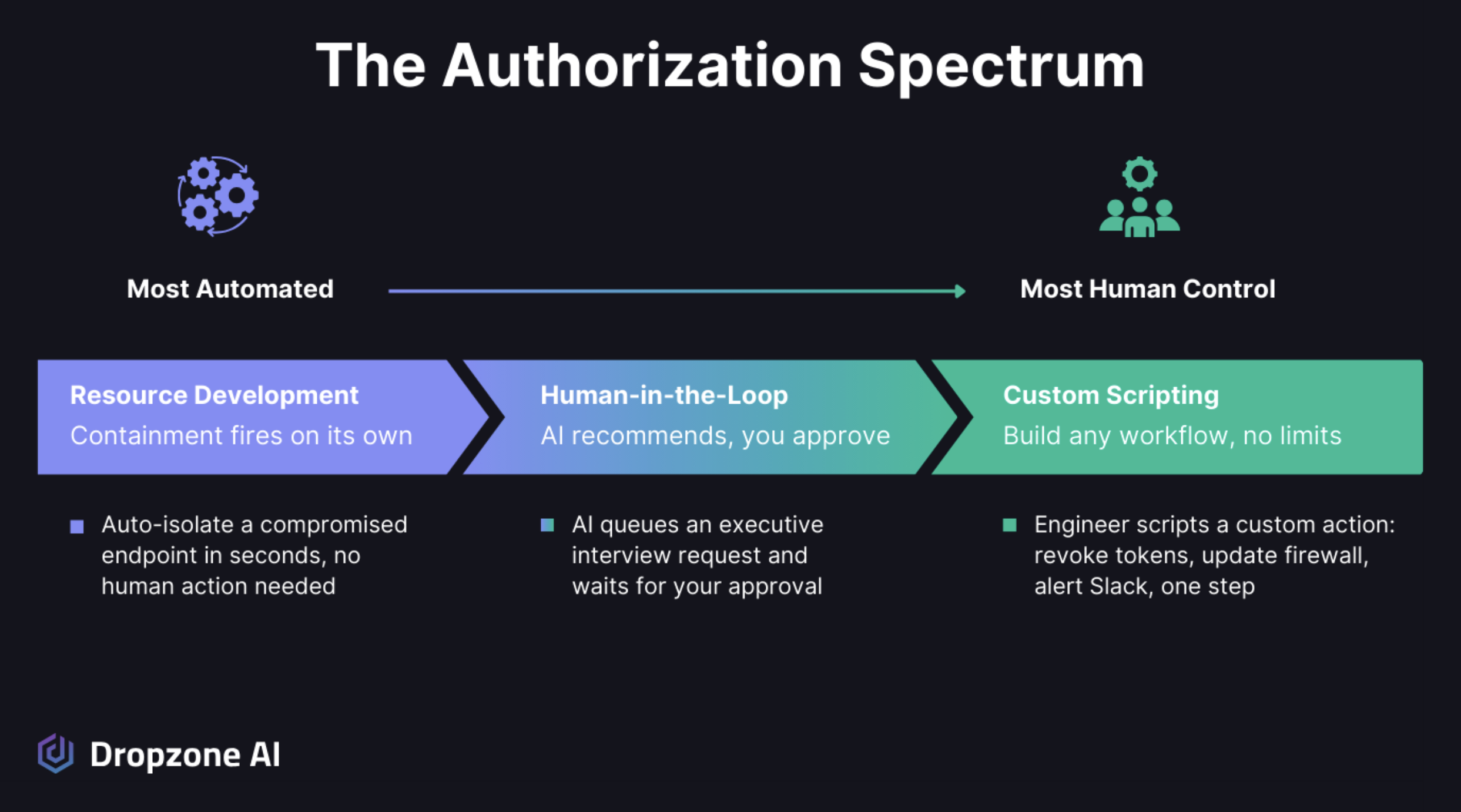
You configure response actions on a spectrum from fully automated to human-approved, on a per-action basis. High-confidence, low-risk containment can fire on its own. Higher-risk actions like disabling a user or isolating a host require human approval. Technical teams can extend both tiers with custom scripting. You choose where each action sits and shift it over time.
From Fully Automated to Human Approved
Dropzone gives you a spectrum of control over what the AI SOC Analyst can do autonomously versus what needs a human to approve. You configure this through containment actions and response actions, which break down into three tiers:
- Fully automated. Certain response actions fire on their own when investigation criteria are met. Blocking a known malicious IP, for example, or quarantining a file that multiple threat intel sources flag as malicious. These are the high-confidence, low-risk actions where speed matters more than deliberation.
- Human-in-the-loop. For higher-risk actions like disabling a user account or isolating a host, the AI prepares everything and makes a recommendation, but a human has to press the button before anything executes. You can review the full investigation, evidence, and reasoning before you approve.
- Custom scripting. For technical teams who want to extend Dropzone's capabilities beyond built-in actions. This is your tinkerer's toolbox, where you can build whatever response logic your environment needs.
The key is that you choose where each action falls on this spectrum, and you can move things around over time. Maybe you start with most response actions in human-in-the-loop mode while you build confidence in the AI's judgment.
After a few weeks of reviewing recommendations and seeing the AI consistently get it right, you shift some of those to fully automated. In the same way, you'd gradually hand more autonomy to a new analyst as they prove themselves.
When Investigations Need a Human Call
Investigation actions need authorization boundaries too, not just response actions. The AI Interviewer is a good example. During an incident investigation, the AI SOC Analyst can reach out to employees to gather context, asking whether they recognized a login attempt, clicked a suspicious link, or initiated a file transfer.
You might be comfortable letting the AI SOC Analyst interview general staff without approval, but want to review and confirm before it contacts executives. You set those boundaries, and the AI respects them.
Escalation works the same way when the AI encounters something it can't confidently resolve, a novel attack pattern, ambiguous findings, or a situation where the evidence points in multiple directions; it doesn't guess but will mark the investigation accordingly.
It flags the investigation, hands off the full context, including all gathered evidence and reasoning so far, and lets your analyst pick up where the AI left off. This keeps the AI productive on most alerts it can handle thoroughly while ensuring the ones that need human judgment actually get it.
How Do You Teach the AI SOC Analyst How Your Organization Works?
You feed your organization's knowledge into context memory through two mechanisms. Context memory stores facts about your environment, like approved IP ranges, VIP users, and authorized tool usage. Custom strategies encode directions given in natural language, like how to prioritize or conclude specific alert types. Facts versus direction, working together.

Your Policies, Your Priorities, Your Environment
The AI SOC Analyst can reason from evidence and draw conclusions, but it can't infer anything about your organization that isn't in the data it remembers or has gathered. Your security policies, your threat model, which systems are crown jewels, which users have elevated access for legitimate reasons, and what "normal" looks like in your specific environment. That knowledge lives with your team, and the AI needs it to make decisions that reflect your actual priorities rather than generic best practices.
You feed this context into Dropzone in two ways. Context memory stores facts about your environment in a semantic database that the AI references during investigations. Context memory items can be stored in natural language like:
- "This IP range belongs to our authorized vulnerability scanner."
- "This user is approved to run certutil.exe."
- "Our European office uses this VPN provider."
These are specific, factual statements that help the AI distinguish between legitimate activity and real threats in your environment. Custom strategies handle the conditional logic: if this alert type involves a known test tool, mark it benign; if a VIP user triggers an impossible travel alert, escalate to urgent. Together, context memory holds what the AI knows about your organization, while custom strategies encode how you want it to act on that knowledge.
This isn't something you do once during setup. Your environment changes. New systems come online, people change roles, you adopt new tools, and your risk priorities shift. The AI adapts as you update its context. Add a new fact to context memory when you onboard a new cloud provider.
Update a custom strategy when you change your escalation policy for a specific alert type. Over time, the system builds a richer understanding of your organization, directly improving the accuracy and relevance of investigations.
Why Does the AI SOC Analyst Get Sharper the More You Use It?
Dropzone is operational the moment your APIs are connected. There's no waiting period where the system needs to observe your environment before it can start working. Your first investigations run on day one. That's by design, and it's worth understanding why.
The AI SOC Analyst comes pre-trained to use its 90+ integrations at an expert level, writing the right queries, parsing responses, and knowing what to look for in each tool.
It follows the OSCAR investigative methodology to ensure thorough, structured investigations from the start. What it doesn't have on day one is your organizational context, the stuff we covered above. And that's fine, because context builds naturally as the AI SOC Analyst completes investigations and learns on its own.
Your team should also work with the system to leave feedback and proactively add context. Every time an analyst reviews a malicious or benign investigation and confirms or changes a conclusion, that feedback gets synthesized into context memory. Every custom strategy you create sharpens the AI's handling of a specific scenario. Every fact you add about your environment reduces false positives and improves the relevance of the investigation.
The onboarding process is structured to help you build this foundation quickly, typically with initial sessions covering analyst training, fine-tuning, and context memory setup. But the system is productive from the start and gets sharper every day you use it. You manage it the way you'd manage a capable new hire: give direction, provide feedback, and watch it improve.
Conclusion
Making Dropzone yours isn't a one-time setup. It's an ongoing process, just like managing any good analyst. Through Scope of Work you define what gets investigated and with what tools. Through Authorization, you set the boundaries between autonomous action and human approval. Through Business Context you give the AI the institutional knowledge it needs to make decisions that reflect your environment, not generic defaults.
In this blog, we’ve discussed how you work with the Dropzone AI SOC Analyst, but the same principles of Scope of Work, Authorization, and Business Context apply to the AI Threat Hunter and AI Threat Intelligence Analyst agents.
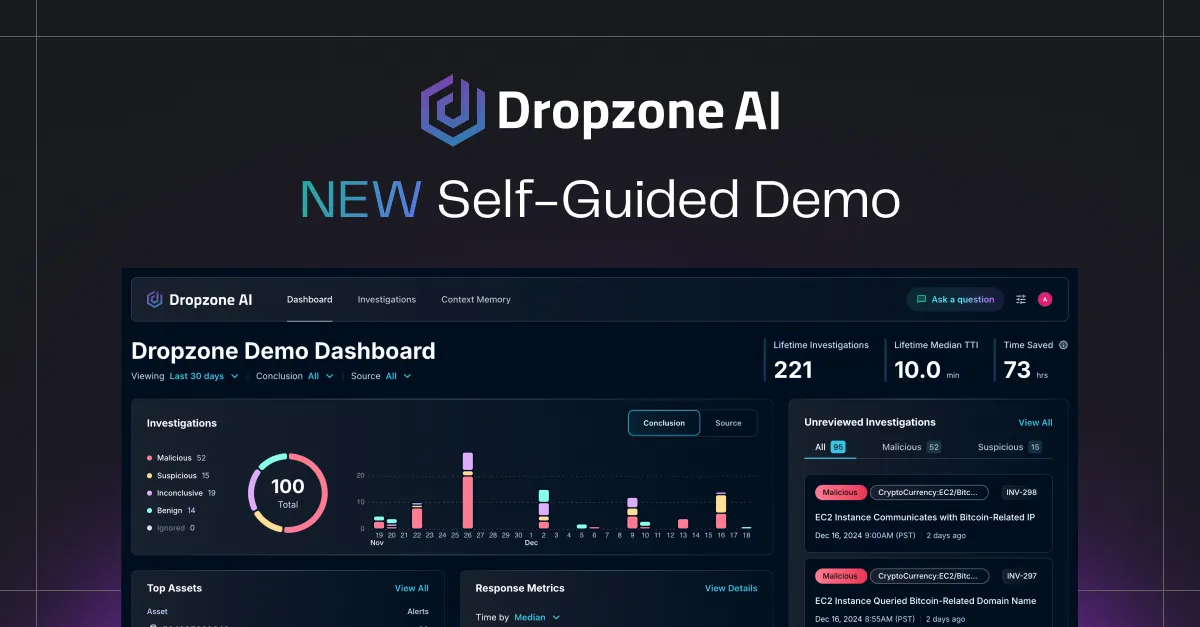
The more your team engages with the system, the more accurately it reflects how you actually run security. Want to see how Scope of Work, Authorization, and Business Context come together inside the platform? The self-guided demo lets you explore a live Dropzone environment and walk through real investigations on your own.









.png)