

Introduction
It's 3 PM. Your Secure Email Gateway (SEG) flags a phishing email that's been sitting in inboxes for twenty minutes, claws it back, and drops an alert in your queue. You mark it resolved.
An hour later, a finance lead calls IT: three people are locked out of M365. The detection worked. The blast radius, everything that happened in those twenty minutes between the email landing and those credentials getting used, is what you still need to trace. The clock’s ticking.
With 3.8 million phishing attacks recorded globally in 2025, every confirmed malicious email kicks off a follow-up investigation that most SOC teams can't scale manually.
Why Isn't Flagging the Email Enough?
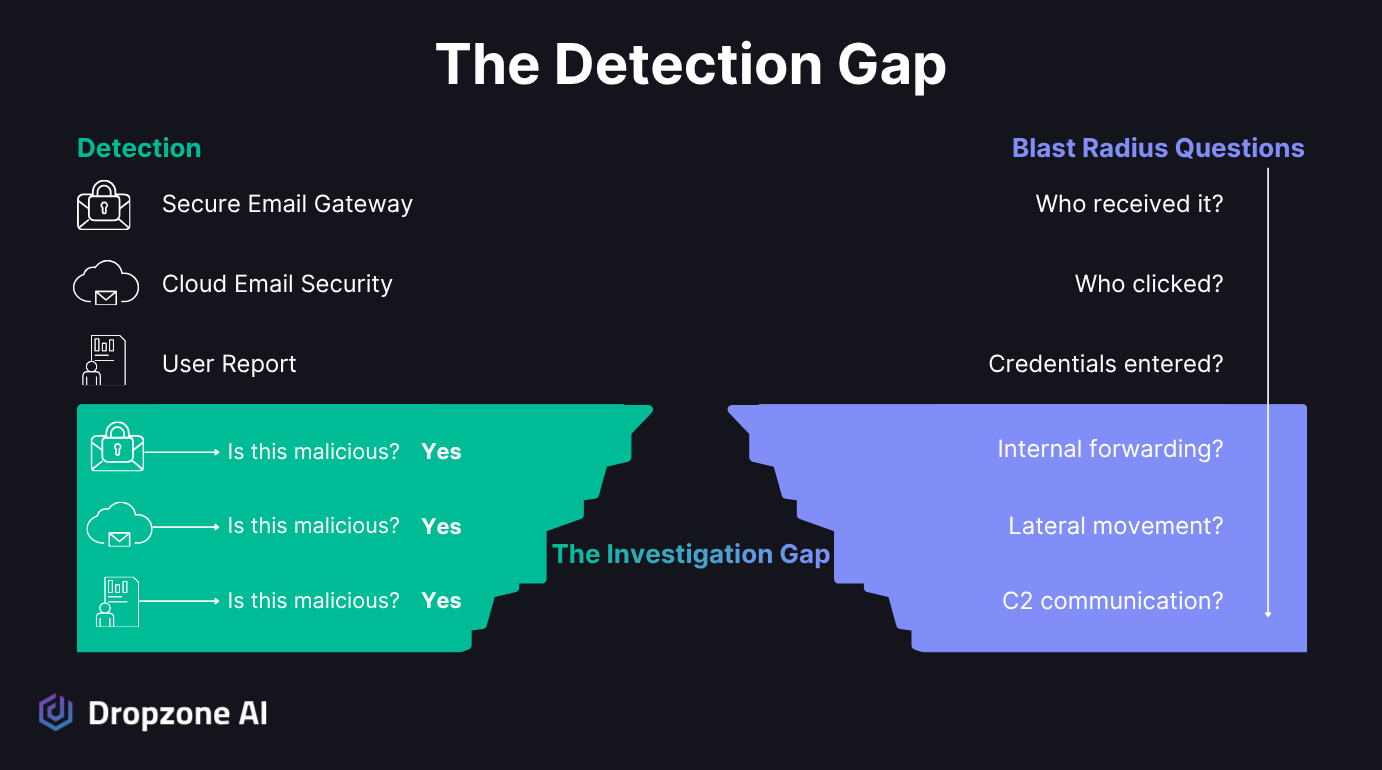
Why Phishing Still Lands the Attacker in the Building
Your detection stack has gotten better at catching malicious messages before they hit inboxes. Between your SEG and cloud email security platform, identification is faster than ever. Containment is a different job.
Phishing was the initial access vector in 16% of breaches, per the Verizon 2025 DBIR, sitting just behind:
- Credential abuse: 22%
- Vulnerability exploitation: 20%
The IBM/Ponemon 2025 Cost of a Data Breach Report found that phishing-initiated breaches cost an average of $4.8M each. And AI-generated phishing surged 14x in December 2025: jumping from under 5% of detected attacks to 56% in a single month, according to Hoxhunt's phishing trends report, making campaigns harder for your users to spot because they look and sound more natural.
So phishing is only going to get worse. Detection is still important, but the investigation that follows detection, the part where you figure out what actually happened after the email landed, is the bottleneck.
What Does Phishing Blast Radius Actually Cover?
Once you've confirmed an email is malicious, a chain of questions follows:
- Who received it?
- Who clicked?
- Were credentials entered on a spoofed page?
- Was the email forwarded internally?
- Did any endpoint start communicating with the attacker infrastructure?
Blast radius is the full downstream impact of a single phishing email across users, devices, and systems. A single compromised mailbox can trigger lateral phishing to other employees from a trusted internal address, bypassing your external email filters entirely.
The CrowdStrike 2026 Global Threat Report found that 35% of all cloud incidents involved abuse of valid accounts, with credentials obtained through phishing, infostealers, or dark web purchases. Without blast radius analysis, flagging the email creates a false sense of resolution while the attacker is already past the inbox.
Why Does Manual Blast Radius Investigation Break Down?
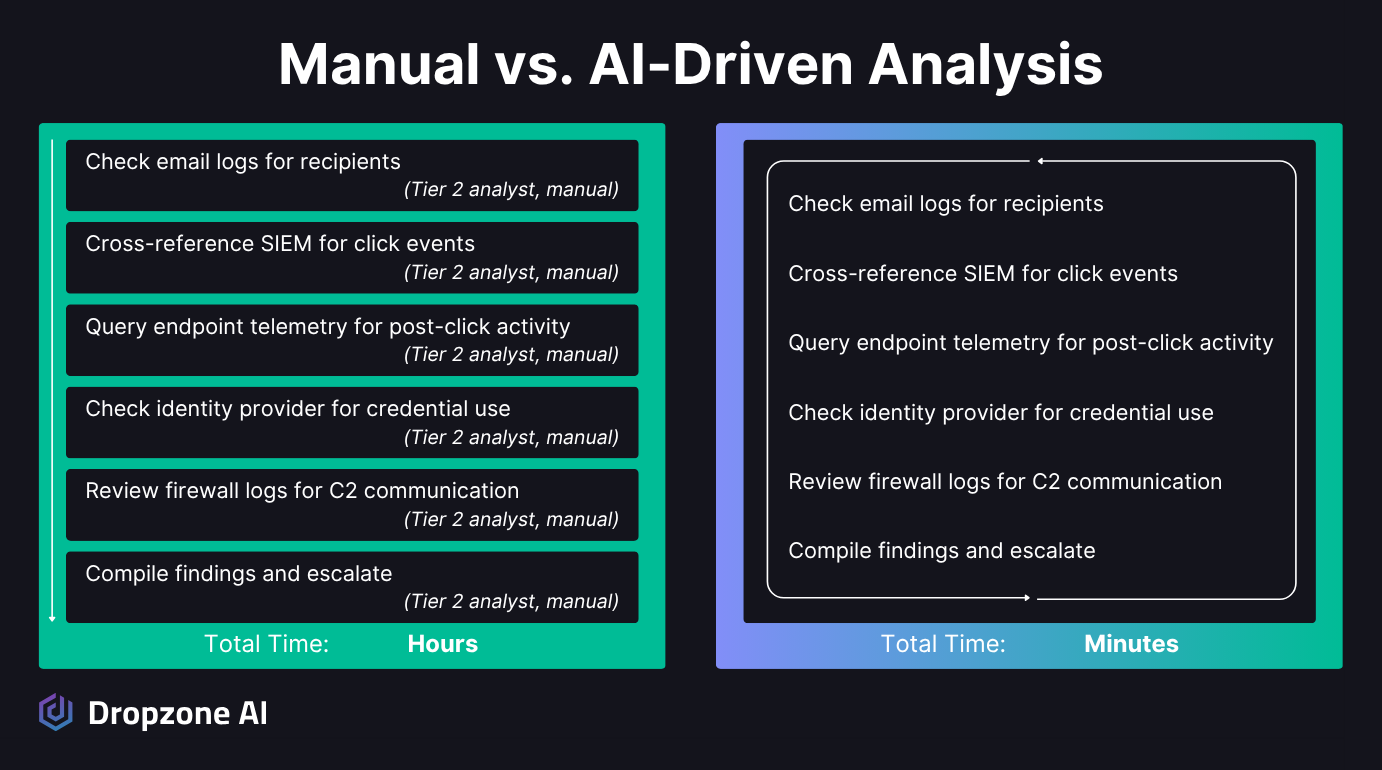
Why Does One Email Force You Into Four Consoles?
Tracing the downstream impact of a phishing email is Tier 2 correlation work that pulls from:
- Email logs
- Your SIEM
- Endpoint telemetry
- Firewall / network logs
- Identity systems
- Interviews with the users themselves
For a single phishing email, you're running queries in four or five different consoles and manually cross-referencing the results, and possibly reaching out to the user to ask about the incident.
SOC teams face thousands of alerts daily, most of which are false positives. Even after you've confirmed a phishing email is malicious, the follow-up investigation competes with every other alert in the queue for analyst time. According to the Mandiant M-Trends 2026 Report, the median time from initial access to attacker hand-off dropped to just 22 seconds.
SOAR playbooks help with pieces of this; they can automate enrichment, pull indicators, and run canned response actions. What they can't do is the investigative reasoning a blast radius demands:
- Deciding which data source to query next based on what the last one returned
- Judging whether a click plus a credential entry on a lookalike domain actually means compromise
- Pivoting mid-investigation when the evidence points somewhere unexpected
- Reaching out to the user to ask what actions they took
That's analyst work, not playbook work. The result is a growing backlog of uninvestigated phishing alerts and delayed containment, giving threats that have moved past the inbox more time to spread.
Why Does the Math Stop Working at Scale?
Consider what a single phishing campaign looks like at scale. At a 2.7% average click rate per the Verizon DBIR, a campaign hitting a 10,000-person organization produces roughly 270 clicks, and each one needs investigation. Most mid-market and enterprise SOCs see multiple campaigns of this size every month.
When attackers put those stolen credentials to work, the threat escalates to business email compromise, which drove $3.05B in losses per the FBI IC3 2025 report. From there, stolen credentials give attackers access to SaaS and cloud systems behind your authentication perimeter, and the incident widens from a phishing problem into an identity problem.
You can't run full-blast radius analysis on every confirmed phishing email when your team is also triaging thousands of other alerts. The math doesn't work. Something has to give, and usually it's the depth of the investigation.
How Does Dropzone Close the Investigation Gap?

How Does One Investigation Cover Every Data Source?
When Dropzone's AI SOC Analyst confirms an email is malicious, it automatically kicks off blast radius analysis without waiting for an analyst to pick it up and escalate.
The investigation follows the same path a senior analyst would take:
- Email logs: who received and opened the message
- SIEM: click events
- Endpoint telemetry: post-click behavior
- Identity systems: credential use
- Network logs: C2 communication
- User interviews: to gather more details
That sweep also catches the lateral phishing chain, messages forwarded from a now-compromised internal mailbox to colleagues that would otherwise bypass your external email filters entirely. The investigation follows the attacker's trail across your own users, not just the original recipient.
All of these data sources get correlated in a single automated investigation, following the OSCAR methodology: Obtain information, Strategize, Collect evidence, Analyze, Report. It's the same structured reasoning loop a senior analyst runs in their head, applied consistently to every alert. This eliminates the manual Tier 2 correlation work that typically requires an analyst to switch between four or five consoles. Investigations complete in minutes, with full evidence and reasoning documented for analyst review.
Consistent coverage matters just as much as the speed gain, every confirmed phishing email gets the same thorough blast-radius analysis, whether it arrives at 2 PM on a Tuesday or at 3 AM on a holiday weekend. Your coverage doesn't depend on who's on shift or how deep the alert backlog has gotten.
How Does Blast Radius Evidence Become Containment?
When a blast radius analysis reveals a compromise, Dropzone can be configured to take automated containment actions, ranging from disabling affected accounts to blocking malicious IPs. Human analysts stay in the loop with full oversight and review capability, but the critical path isn't blocked waiting for manual triage.
Every investigation produces full evidence and reasoning alongside a plain-language summary, so when analysts review, they have the context to make fast decisions.
Customer outcomes from production deployments:
- The IBM/Ponemon 2025 Cost of a Data Breach Report found that organizations using AI tools extensively cut their breach lifecycle by 80 days and saved nearly $1.9M on average.
- Zapier cut manual alert investigation time by 85% after deploying Dropzone, reducing triage time from 10-15 minutes per alert to under 2 minutes.
- Mysten Labs cut false positives by 90-95%.
Your existing security stack stays in place. Microsoft 365, Google Workspace, Splunk, CrowdStrike, SentinelOne, Okta, and 90+ other integrations all connect out of the box. Dropzone starts producing investigations on Day 1 as soon as API connections are live, with no playbooks to build or maintain, adding investigation capacity without disruption.
Conclusion
Detection tells you an email is bad. Blast radius tells you what happened next. If your team is running that correlation manually across four consoles for every confirmed phish, you're investigating fewer alerts than you should, and the backlog is where threats hide.
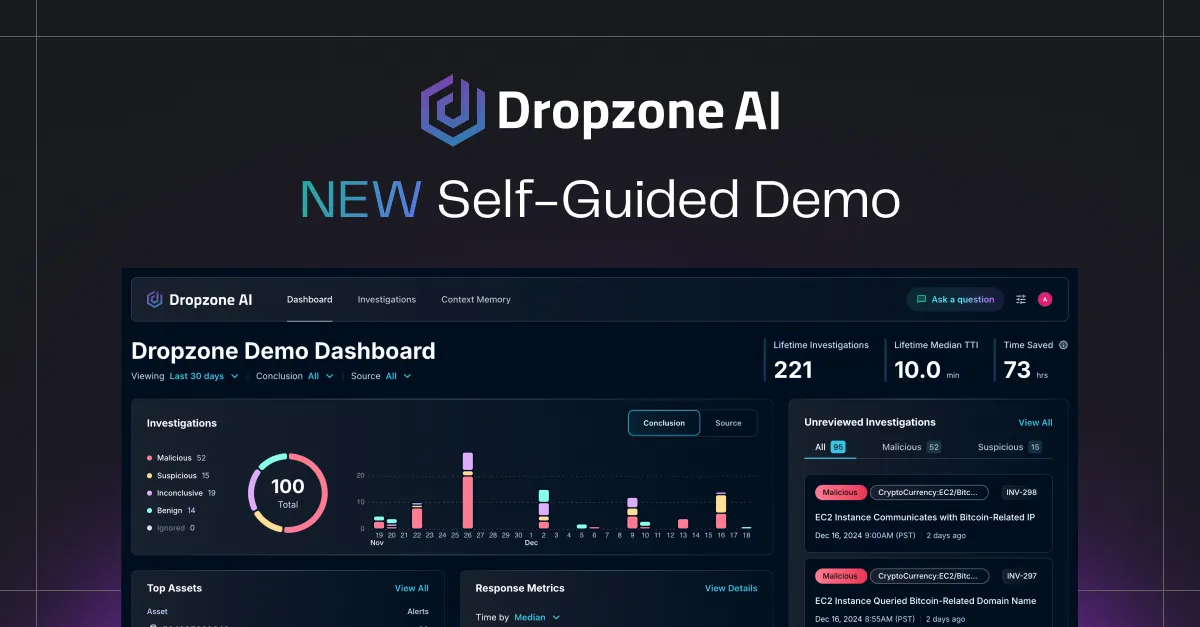
Want to see an automated blast radius run on a real alert? Jump into the self-guided demo and walk through a live phishing investigation end-to-end. Or, learn more about Dropzone AI’s phishing use case.










.png)